


The Problem: The Call Order Lies
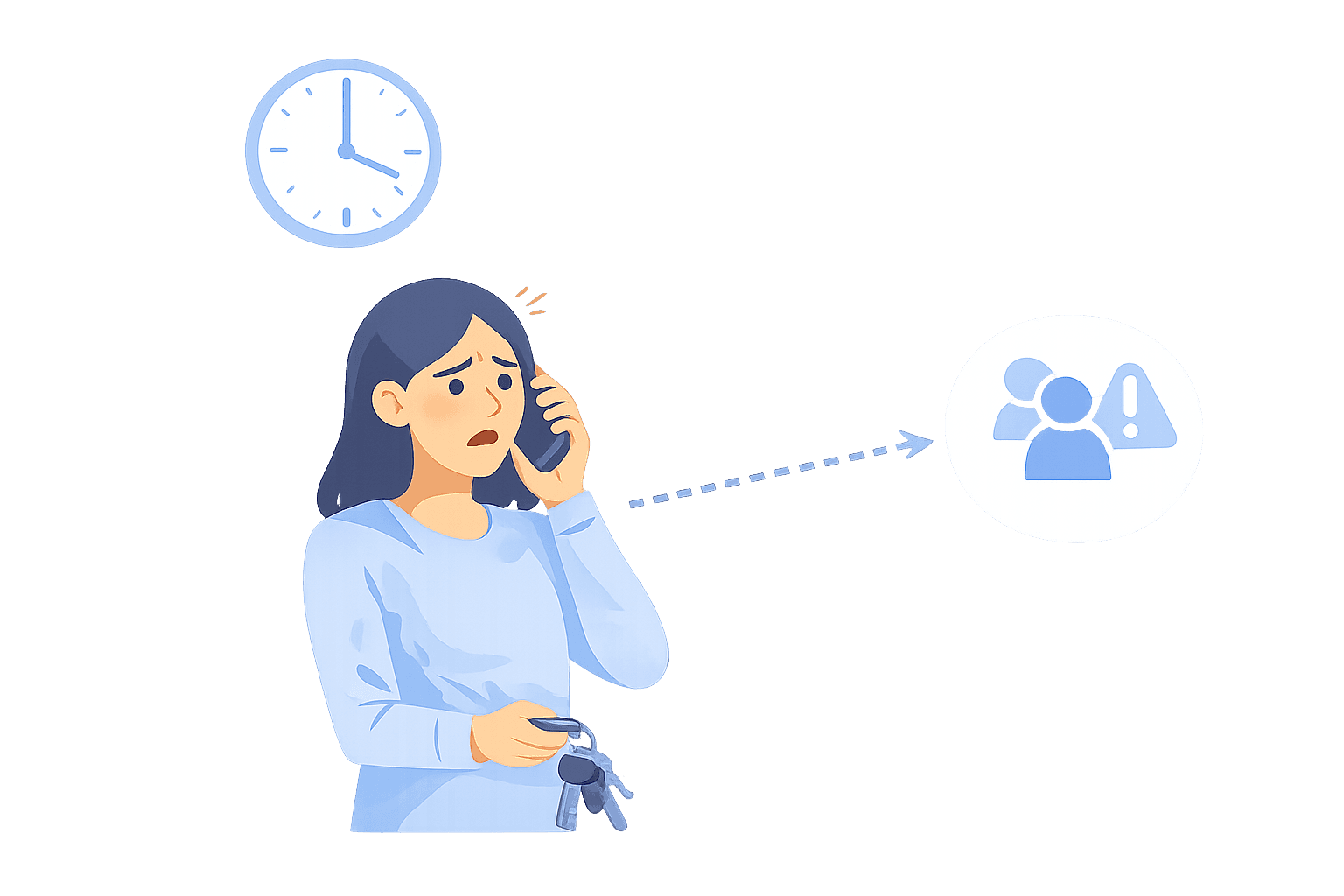
It is 8:42 PM when the hospital calls with an in-person response request. Sarah answers, confirms the details, and then has to leave immediately.
For the next hour, she cannot safely take calls, but she is still first in the call order. The next call comes in from a community partner and keeps trying Sarah anyway. The backup is available, but the system does not know that yet.
Someone starts the usual scramble: call a coordinator, log into a dashboard, text the group, and hope the call does not get missed while everyone is sorting it out. That is the dispatch problem. Coverage changes in the moment, but most systems only change when an admin gets involved.

The Fix: Text “Unavailable” and Keep Coverage Accurate
Dispatch software solves this by making availability updates fast enough to use during real work. When Sarah has to leave for an in-person response, she texts the hotline: “Unavailable.”
Helpline Software marks her unavailable for a set window (for example, 24 hours), confirms it by text, and automatically skips her in the call order until she is back. If she is ready sooner, she texts “Available,” and she is back in rotation right away.
The result is simple. Time-sensitive inbound requests reach a reachable advocate faster. Supervisors spend less time coordinating coverage, and the system still leaves a clear record of what happened. This fits into an integrated on-call communications workflow, where schedules, routing, escalation, and real-time availability updates all stay connected.
What Our Customers Say
Our customers love how customizable the system is, the top-notch support, and how easy it is to use Helpline Software.
"…customer service is responsive, honest, articulate… it's top-notch…"

"There's definitely an awareness with the customer service team that every agency is different… It's very 'meet us where we're at.'"
"I'm loving this system. It's incredibly easy to tailor, and it does exactly what [our on-call personnel] need. Instead of troubleshooting, [our on-call personnel] are spending that time with [callers]."
"It really has changed a huge part of our organization."

"Having a system customized to fit [our needs] has been invaluable. HelplineSoftware gives us the tools we need to support both our staff and [callers]."

"Helpline Software has been an incredible thought partner. They offer creative solutions and really care about the mission of the agencies they serve."

"We are incredibly grateful for our wonderful transition to Helpline this year. The entire process has been seamless, and our team has had nothing but glowing feedback. The ease of use, combined with your excellent customer service, has made a world of difference."

"…take a leap of faith and do it… it is a game changer… it will alleviate a lot of misused time and… [you] will thank me later."

How Our Dispatch Software Works
When someone needs to step away for an in-person response, they text “unavailable” so the system skips them. “Available” puts them back in rotation.
Audit trails show who was tried and why the call moved on. Use that to tighten escalation timing and make last-minute changes with fewer surprises.

Key Features of Our Dispatch Scheduling Software
Dispatch only works when the call order matches reality. These are the features that matter when someone is heading to an in-person response, swapping shifts, or temporarily unreachable.
On-Call Scheduling Software
Set primary and backup coverage in one schedule. When shifts change, routing follows because the schedule stays the source of truth. You also get an audit trail showing who was tried and what happened next.
Real-Time Dispatching
Our emergency dispatch answering alternative is to simply route inbound calls to the right on-call person, then move to the next step when someone cannot answer. If someone is heading to an in-person response, they can text “unavailable” so the system skips them automatically. When they are ready, “available” puts them back in rotation. This can be a flexible and fluid way to manage last-minute dispatch for your team.
Multi-Channel Notifications
Notify on-call staff through channels that work off-hours, including text and voice. This matters most when people are away from a desk or in the field. Clear alerts reduce missed handoffs and fewer calls end up stuck on the wrong person.
Concurrent Call Handling
Handle more than one inbound request without turning a supervisor into a traffic controller. When volume rises, the system can avoid repeatedly targeting the same unavailable person. That reduces delays and spreads load more evenly.
Shift-Based Assignments
Keep coverage consistent when shifts swap or someone calls out. Because scheduling and routing are connected, updates take effect immediately for the next inbound call. This is how teams avoid gaps created by last-minute changes.

Team Coordination & Status Updates
Dispatch breaks down when nobody knows who is actually reachable. Your team needs a shared view of who is on call, who is next, and who is temporarily unavailable.
When someone texts “unavailable,” the system reflects it immediately and documents it in the call flow. That reduces side-channel texting, and it gives supervisors a clearer way to support the team.

Stop Re-Litigating Missed Calls
When a dispatch goes wrong, teams usually lose time in the same place. Someone says the phone did not ring. Someone else says it did. Nobody can see whether the person was already on a call, out of reception, or marked unavailable.
Dispatch software needs to leave evidence. Helpline Software provides audit trails and reporting that show who was tried and why the call moved on.
When to Use Dispatch Scheduling Software
By using on-call dispatch software, organizations can keep coverage accurate when availability changes quickly. This is a good fit when your team takes inbound requests that require consistent handoffs and clear escalation rules.
Here are the types of teams that benefit most:
Keep coverage accurate when staff are rotating shifts, stepping away, or responding in person.
Coordinate in-person responses without breaking the call order. Availability updates keep routing aligned while people are on the move.
Route after-hours calls based on who is reachable now, not who was reachable an hour ago.
Reduce manual work keeping scheduling, routing, and availability in sync.
Support staff who answer away from a desk. Notifications and availability updates reduce missed handoffs.
Keep routing reliable during handoffs and shift changes, even when the work is not high urgency.
What You Get
Dispatch software reduces manual coordination and makes coverage more predictable. It also makes it easier to explain what happened after a missed connection.
Team members can see who is on call, who is next, and who is unavailable right now.
Fewer last-minute calls and texts to rebuild the call order.
Calls move to a reachable person faster because the system follows your escalation path.
Fewer failures caused by handoffs, unavailable staff, and last-minute changes.
Audit trails show who was tried and why the call moved on.
Support different team sizes and coverage patterns, including in-person response workflows.
Customers Recognition
We pride ourselves in top notch 24/7 support. But you don’t have to take our word for it, check out the testimonial video below. Still don’t believe us? No problem.
Our contracts come with a peace of mind guarantee. If you don’t love it within 30 days of going live we’ll give you your money back, and donate up to $500 to your agency. See here for details. We stay in business because our customers love us.

Trusted for critical calls by crisis hotlines.
Answer more inbound calls without adding headcount. Helpline Software brings call handling, scheduling, and follow-up workflows into one integrated platform, so your team can respond faster and spend less time on admin.

Helpline Software is a great tool for our dual domestic violence/sexual assault service agency. It has allowed our clients another outlet (and a convenient one) to reach us when they need us most. The program is user-friendly and powerful enough to make a positive impact on the services we provide. The best part is the quick support and personal response you receive when you have any questions or need help personalizing the software to your agencies’ needs.

Concierge Onboarding
Expect white-glove, done-for-you onboarding. You bring your requirements and preferences. We will help you translate them into a configuration that fits your team.
We have supported hotlines, helplines, and crisis lines long enough to know what tends to break under pressure. We will share patterns we have seen work well, flag common pitfalls, and design a custom setup aligned to your requirements. That includes schedules, workflows, routing rules, and integrations, so your system is ready for day one.
Disclaimer: We are a software provider. We can share general information based on prior experience, but you know your needs best. You are fully responsible for your hotline’s configuration and for ensuring your requirements are met. Our role is limited to information sharing.

Packages & Pricing
Pricing is structured around system access, configuration, and support rather than individual telecom components. All communication capabilities, voice, messaging, scheduling, workflows, and reporting, are bundled into unified plans designed to scale with your organization’s needs.
For current packages and what is included in each plan, review our pricing.

150% Money Back Guarantee
Start with confidence. If you're not satisfied within 30 days, we'll refund every dollar you paid, plus up to $500.
Frequently Asked Questions
›Which dispatching systems support automated call assignments?
›What does automated dispatch mean for an on-call team?
›What should I require before trusting automated assignments?

Want to tighten last-minute coverage changes?
Dispatch breaks when the call order does not match reality. Small changes that happen fast, like marking someone unavailable, make the biggest difference.
Book a short call to review your dispatch workflow and identify a practical next step.