


What Is Helpline Software?
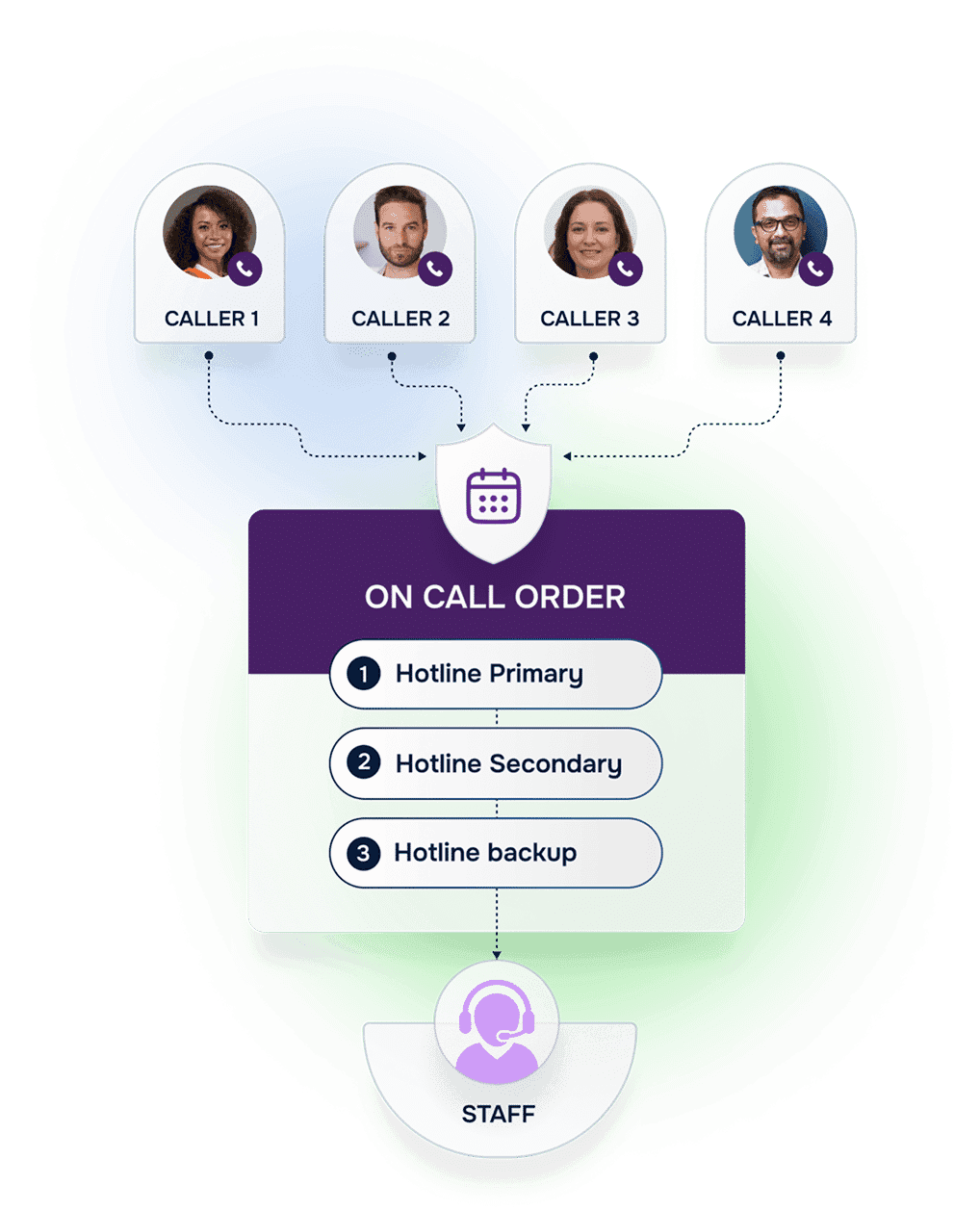
Helpline Software is a fully integrated system to manage your hotline, helpline, support line, or on-call line. We’re built to manage the operational details behind the scenes, from scheduling and shift reminders to reporting and burnout protection.
The goal is simple. When an urgent call comes in, your workflow should run the same way every time, even after hours. Calls route according to schedules and backups, and you can review what happened later without reconstructing the night from memory.

Concierge Onboarding
We get it. You’re not trying to run a software project. You just need your line to behave predictably after hours. That’s why everything starts with concierge onboarding. Tell us your goals and we’ll map your schedules, backups, and call handling into a workflow your team can actually run.
If you want to talk it through, let us know. Each client is unique and gets a setup tailored to their specific needs.
What Happens When Someone Calls?
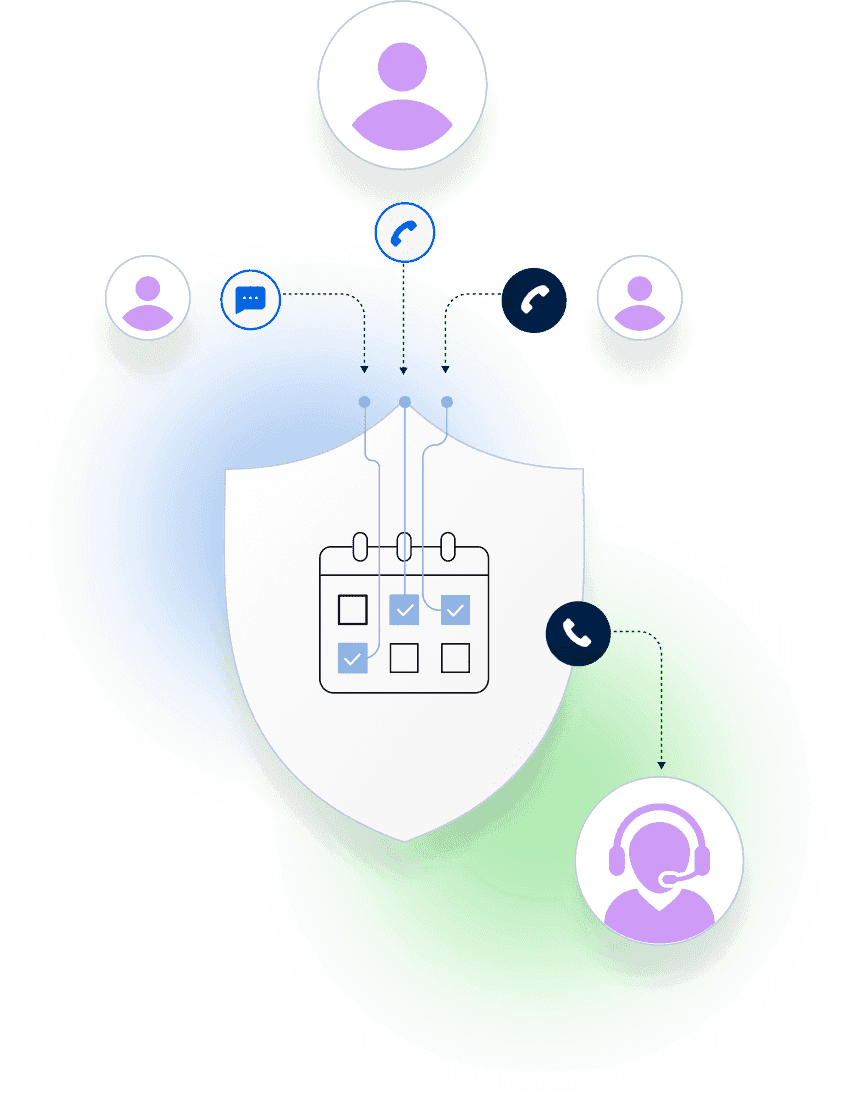
When someone calls your line, Helpline Software’s system gets to work right away. The call is anonymously (or not) logged and the system triages according to your policies to determine the best course of action. From there, calls are routed to the appropriate team member.
Without reliable software for call centers, teams often encounter common issues, including lost call data, long wait times, inconsistent responses, and staff burnout from trying to manage everything manually.
On-Call Workflow:
How Staff Use the Platform
Admin input the schedules, and approve/deny any pending shift requests.
This keeps coverage accurate before the next call comes in.
Sit back and watch. When a new call, webchat, or text comes in the system will automatically follow your workflows. It’ll call agents on their cell-phones (or computers) according to your on-call orders and schedules.
You get a consistent process across shifts without manual steps.

How Staff Use the Platform
Before the Call
Staff log in (or can be automatically logged in according to schedules), and see their upcoming shifts. Call routing preferences and on-call orders are automatically applied based on admin instructions, ensuring coverage without the guesswork.
During the Call
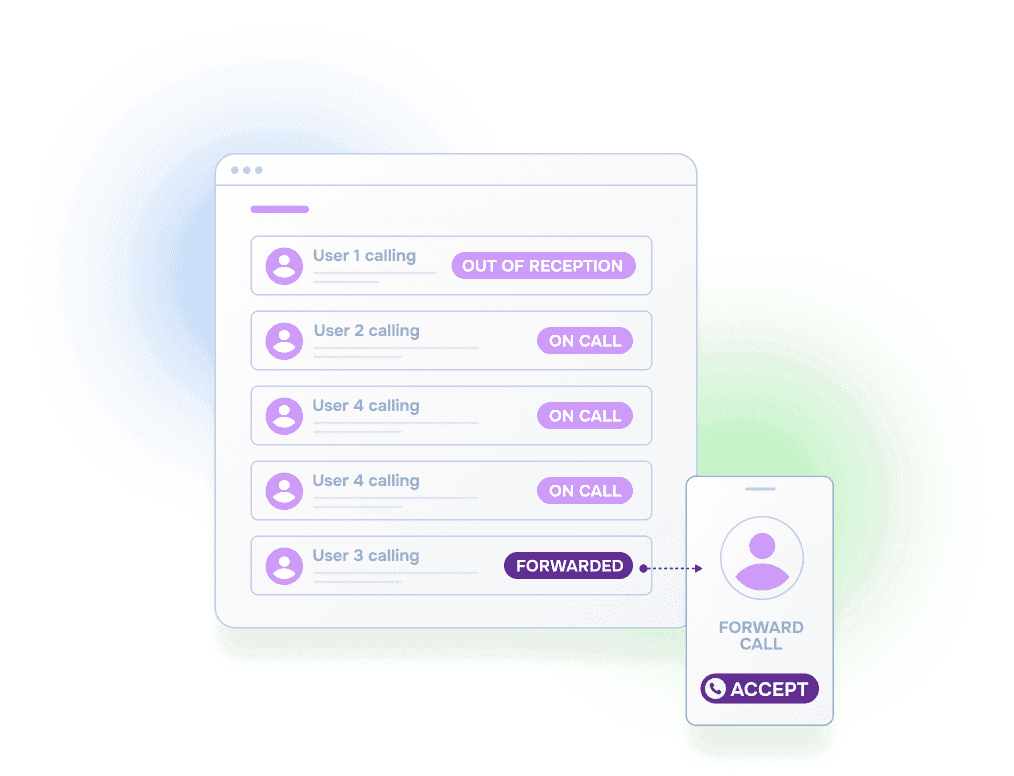
Your agent just talks to the caller. Our system has already:
- Given your agent enough time to get to a confidential and quiet place to answer
- Informed them about the type of call before they accepted it
- Reminded them about their shift (opt-in)
- Protected them from burnout according to your policies

After the Call
Our system will:
- Remind agents to fill out any custom intake form(s) configured by your agency
- Allow admin to access detailed reports based on custom data retention policies
- Help protect against burnout
- Show you why each person was called (e.g., who was out of reception)
Key Features at a Glance
Our hotline software includes features built specifically for on-call response teams:
forms. Capture the data you need without forcing a one-size-fits-all workflow.
dashboards. See what’s happening on the line as it happens, not days later.
protection. Set policies that help protect staff and volunteers from overload.
to browser and cell phone. Reach your team wherever they answer, without manual forwarding updates.
and analytics. Turn call activity into clear reports that support operations and funding.
tracking. Track what your team delivers so you can improve services over time.
Why Leading Centers Choose Us
Helpline isn’t just another call center software solution. It was developed in partnership with hotlines, helplines, and on-call teams to meet their unique demands. Our clients see:
- Faster response times and fewer dropped calls
- Consistent delivery of services across shifts
- Easier staff coordination and communication
- Stronger funding support through built-in outcome tracking
Whether you’re running a small hotline or a statewide or nationwide response network, Helpline Software scales to your needs and grows with your organization. You can always adjust your settings and add or omit features at any time.
Customers Recognition
We pride ourselves in top notch 24/7 support. But you don’t have to take our word for it, check out the testimonial video below. Still don’t believe us? No problem.
Our contracts come with a peace of mind guarantee. If you don’t love it within 30 days of going live we’ll give you your money back, and donate up to $500 to your agency. See here for details. We stay in business because our customers love us.
What Our Customers Say
Our customers love how customizable the system is, the top-notch support, and how easy it is to use Helpline Software.
"…customer service is responsive, honest, articulate… it's top-notch…"

"There's definitely an awareness with the customer service team that every agency is different… It's very 'meet us where we're at.'"
"I'm loving this system. It's incredibly easy to tailor, and it does exactly what [our on-call personnel] need. Instead of troubleshooting, [our on-call personnel] are spending that time with [callers]."
"It really has changed a huge part of our organization."

"Having a system customized to fit [our needs] has been invaluable. HelplineSoftware gives us the tools we need to support both our staff and [callers]."

"Helpline Software has been an incredible thought partner. They offer creative solutions and really care about the mission of the agencies they serve."

"We are incredibly grateful for our wonderful transition to Helpline this year. The entire process has been seamless, and our team has had nothing but glowing feedback. The ease of use, combined with your excellent customer service, has made a world of difference."

"…take a leap of faith and do it… it is a game changer… it will alleviate a lot of misused time and… [you] will thank me later."


Built for rotating on-call coverage.
Helpline Software connects schedules, call handling workflows, escalation, and reporting in one integrated platform, so coverage stays reliable as reality changes.

Concierge Onboarding
Expect white-glove, done-for-you onboarding. You bring your requirements and preferences. We will help you translate them into a configuration that fits your team.
We have supported hotlines, helplines, and crisis lines long enough to know what tends to break under pressure. We will share patterns we have seen work well, flag common pitfalls, and design a custom setup aligned to your requirements. That includes schedules, workflows, routing rules, and integrations, so your system is ready for day one.
Disclaimer: We are a software provider. We can share general information based on prior experience, but you know your needs best. You are fully responsible for your hotline’s configuration and for ensuring your requirements are met. Our role is limited to information sharing.

Packages & Pricing
Pricing is structured around system access, configuration, and support rather than individual telecom components. All communication capabilities, voice, messaging, scheduling, workflows, and reporting, are bundled into unified plans designed to scale with your organization’s needs.
For current packages and what is included in each plan, review our pricing.

150% Money Back Guarantee
Try Helpline Software risk-free! If you're not satisfied within 30 days, we'll refund all your money. Plus give you up to $500.
Frequently asked questions
Frequently asked questions
›Can we keep our existing hotline number(s)?
›How long will it take for updates to the schedule to be reflected in call routing?
›Do you offer onboarding or training?
›How will our personnel know they are receiving a hotline call vs a personal call?

Want to see how this fits your workflow?
Share your email above and we’ll reach out. If you prefer, you can also book a short call to map your schedules, backups, and callback catch-all into a simple on-call workflow.